Need the latest PS4 Update File 13.02? This page gives you quick access to every official PlayStation 4 firmware file, including the newest PS4 Firmware 13.02 for system upgrades, reinstallations, or Safe Mode troubleshooting. Whether you’re fixing update errors, restoring your console, or performing a clean USB installation, using the correct and verified firmware is essential for a smooth and stable update.
Sony’s 13.02 release brings important security patches and performance improvements, helping your PS4 run faster, safer, and more reliably.
Here, you’ll find the latest PS4 update file, older versions, and simple instructions to install them without issues. The PS4 Firmware. In this post, we’ll delve into what PS4 firmware is, how to update it, and briefly explore the exciting world of PS4 emulators.
This firmware can also be utilized in various existing PS4 emulators available online, such as RPCSX.
Let’s get your PS4 updated and running perfectly.
What Is PS4 Firmware? (PS4 Update File 13.02)
PS4 Firmware is the main system software that makes your PlayStation 4 work.
It’s like the PS4’s “brain” and “operating system” — it controls how the console starts, loads games, connects to the internet, and keeps everything running safely and smoothly.
Imagine your PS4 as a powerful machine, but without instructions, it wouldn’t know what to do.
Firmware is the set of instructions that tells every part of the PS4 how to behave.
If the hardware is the body, the firmware is the mind that makes it all function.
PS4 update features
- It helps your PS4 turn on and work properly.
Without firmware, the PS4 couldn’t even start. - It makes your games run smoothly.
Firmware helps the system load faster, reduces lag, and improves performance. - It fixes problems and bugs.
Sony releases updates to solve issues like crashes, freezing, or network errors. - It keeps your PS4 safe.
Firmware updates include security patches that protect your console from glitches or harmful software. - It adds new features.
Sometimes updates bring new menu options, better system stability, or support for new accessories. - It helps your PS4 work with new games.
Many newer titles require the latest firmware to run without errors.
PS4 Firmware v13.02 Download (Latest Version) System software update PS4
(Download link available below)
| System Software Name | PS4 Firmware |
|---|---|
| Version | 13.02 |
| File Name | PS4UPDATE.PUP |
| Filed In | System Updates |
| File Size | 483 MB |
| Latest Update | October 1, 2025 |
| Manufacturer | Sony |
| System/Console | PlayStation 4 (PS4) |
PS4 Latest firmware Files list
| Version | MD5 Hash | MEGA |
|---|---|---|
| Firmware 13.02 | 14936e84b306562a2e93ad0b4516b629 | Download |
| Firmware 13.00 | 96662a7494c5302c231eef4e2ad30dcf | Download |
| Firmware 12.52 | 37e1f70dc1d0f83b647be74279818721 | Download |
| Firmware 12.50 | 0e40ffc1f68abec27640e9015102560f | Download |
| Firmware 12.02 | a11b05ff455d2ec577fea25c63d25ef0 | Download |
| Firmware 12.00 | 565849b5fd29244a35cf189e4ea2da9c | Download |
| Firmware 11.52 | 566ad272e73534806d553aae978a8dbe | Download |
| Firmware 11.50 | 71c56d88479f0183041549ad93a43ea3 | Download |
| Firmware 11.02 | d96a04b7ec460adf69a14d541031e9d4 | Download |
| Firmware 11.00 | aef87a3e744f7dceb4a1da65da253e2f | Download |
Update File for reinstallation PS4
| Version | MD5 Hash | MEGA |
|---|---|---|
| Firmware 13.02 | 903c988e3ab13f4088d54b687a67010c | Download |
| Firmware 13.00 | 66ba007cbf0cd09309b11d9b25b563a6 | Download |
| Firmware 12.52 | cf5c7dd304f2810fd3baa73cad33eae9 | Download |
| Firmware 12.50 | 3737437a99d860d18217362a19115983 | Download |
| Firmware 12.02 | 0671734da8fb342270330549ea4d418e | Download |
| Firmware 12.00 | 96da58055b2e4f50889ebc5e676abe39 | Download |
| Firmware 11.52 | 2040bbec5c727952660f749a7b05056c | Download |
| Firmware 11.50 | f44177cd21803b03d4744fd167f925d0 | Download |
| Firmware 11.02 | cb06bdc52f6f9bdaabd47b024b8f8fa9 | Download |
| Firmware 11.00 | fcd0a674a7d78fdb545ea97344d2f86f | Download |
How to Update PS4 System Firmware
1. Update PS4 via USB (Offline Method)
- Format a USB drive to FAT32 or exFAT.
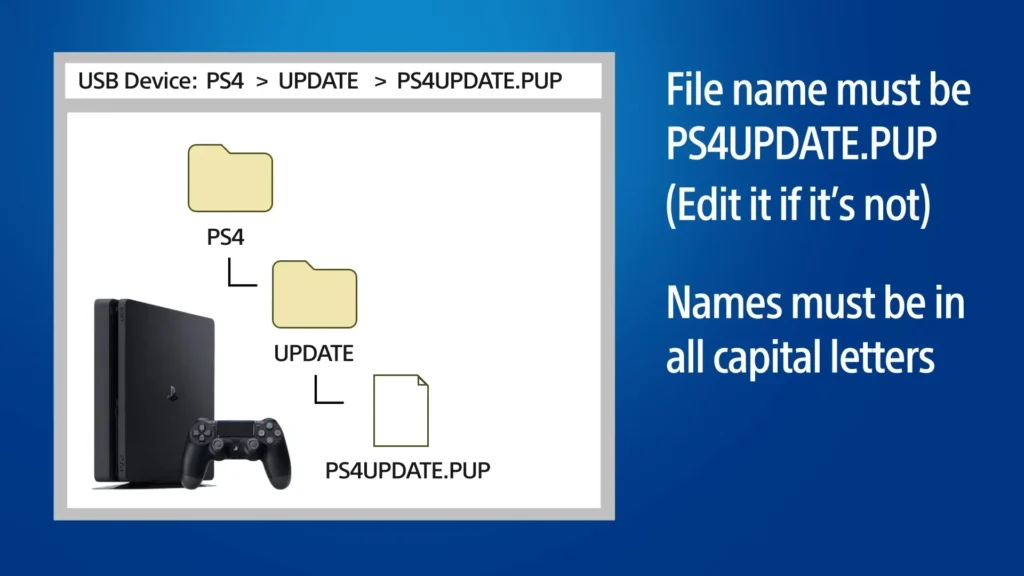
- Create folders: PS4 → UPDATE (both in CAPITAL letters).
- Download the official PS4UPDATE.PUP and place it inside the UPDATE folder.
- Turn off your PS4, then hold the power button until the second beep to enter Safe Mode.
- Select Update System Software → Update from USB Storage Device.
- Follow the on-screen steps until the update completes.
2. Update PS4 via Internet (Online Method)
- Connect your PS4 to the internet (Wi-Fi or LAN).
- Go to Settings → System Software Update.
- Your PS4 will auto-scan for the latest firmware.
- Select Download and Install when prompted.
- Wait for the update to finish and let the PS4 restart automatically.
3. Update PS4 Without a Controller (Keyboard Method)
- Plug a USB keyboard into your PS4.
- Enter Safe Mode by holding the power button until the second beep.
- Use Arrow Keys + Enter to navigate and select options.
- Go to Update System Software.
- Choose Update via Internet or Update from USB Storage Device.
- Complete the update by following the on-screen instructions.
4. How to reinstall PS4 system software with USB
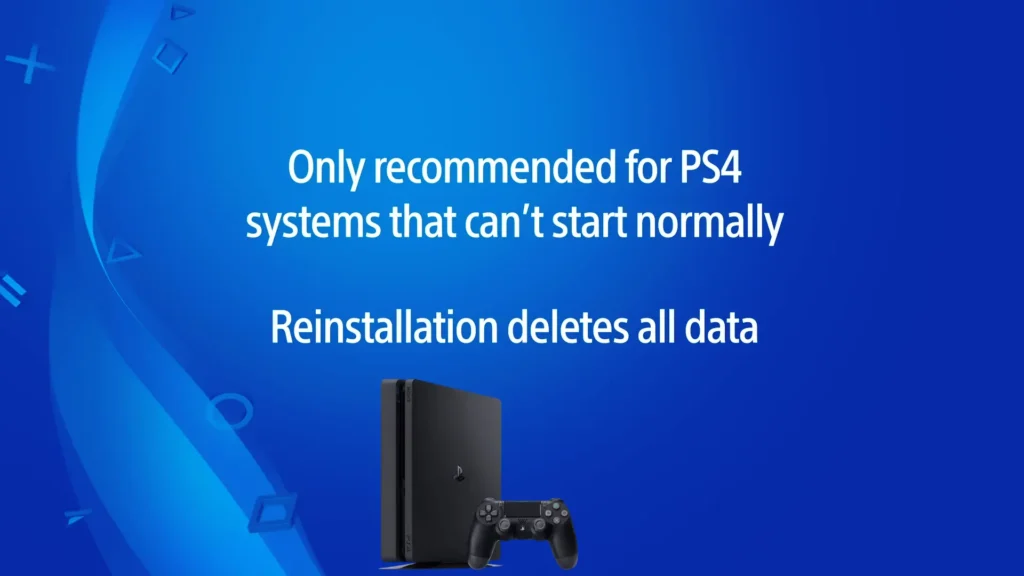
- Format a USB drive to FAT32 or exFAT, then create a folder named PS4 and inside it another folder named UPDATE (both in uppercase).
- Get the official PS4UPDATE.PUP reinstallation file and save it inside the UPDATE folder.
- Plug the USB drive containing the file into one of the PS4’s USB ports.
- Turn off the PS4 completely, then hold the power button until you hear two beeps to boot into Safe Mode.
- In Safe Mode, select “Initialize PS4 (Reinstall System Software)”.
- The PS4 will detect the file and begin reinstalling the system software.
Frequently Asked Questions (FAQs)
What is the latest firmware version of PS4?
The latest firmware version of PS4 is 13.02. Sony regularly releases these updates to improve system performance, fix bugs, enhance security, and ensure compatibility with new games and PlayStation Network services. Keeping your PS4 updated to this version guarantees a stable and optimized gaming experience.
How to factory reset a PS4 with a USB?
To factory reset your PS4 using a USB, you need the PS4 Reinstallation System Software file. Format a USB drive to FAT32 or exFAT, create the folders PS4 → UPDATE, and place the PS4UPDATE.PUP reinstall file inside. Then boot your PS4 into Safe Mode (hold the power button until the second beep) and choose “Initialize PS4 (Reinstall System Software)”. This fully wipes the console and restores the system software from the USB.
How to fix corrupted system software on PS4?
If your PS4 shows errors like SU-42118-6, CE-35888-2, or “System Software is Corrupted”, the safest fix is to reinstall the system software. Enter Safe Mode, select “Update System Software” first—if that fails, choose “Initialize PS4 (Reinstall System Software)” with a properly prepared USB. Make sure the file name is exactly PS4UPDATE.PUP and stored in the correct folder structure (PS4 → UPDATE). Reinstalling replaces damaged system files and usually resolves corruption issues.
What firmware is my PS4 on?
To check your current PS4 firmware version, go to Settings → System → System Information. You’ll see the installed System Software Version displayed clearly on that screen. This tells you whether your PS4 is up to date or needs the latest firmware update.
When was firmware 11.00 released for PS4?
PS4 firmware 11.00 was released on August 4, 2023. This update focused on stability improvements and minor system optimizations, helping the console run more smoothly.
